Skip to content
BaalBo Infotech
baalbo-veda.myshopify.com
Baalbo Veda Shopify theme: full home page

Scroll inside the preview to see the whole home page

Ayurveda & Herbal New release

Baalbo Veda Shopify Theme

Version 1.0.0 Updated 23 Nov 2026 Online Store 2.0

A premium Shopify theme for Ayurvedic and herbal brands

Choose a licence

Prices include taxes. Add your business name and GSTIN at checkout to get a GST invoice.

View live demo Opens the full theme · password baalbo

Frequently bought together

Baalbo Veda themeSelected licence ₹3,999
Total ₹3,999
  • Instant ZIP download
  • Secure Razorpay checkout
  • Free updates in your dashboard
  • GST invoice

Lifetime licence: how it works

Active
KeyBBT-XXXX-XXXX-XXXX-XXXX
Storeyourstore.myshopify.com
  • Pay once: no renewals or monthly fees.
  • Activates by itself when you paste the key in Theme settings.
  • Move to another store any time from your dashboard.
Features

Everything that makes Baalbo Veda sell

  • Online Store 2.0: drag-and-drop sections on every page
  • 78 sections and 17 page templates
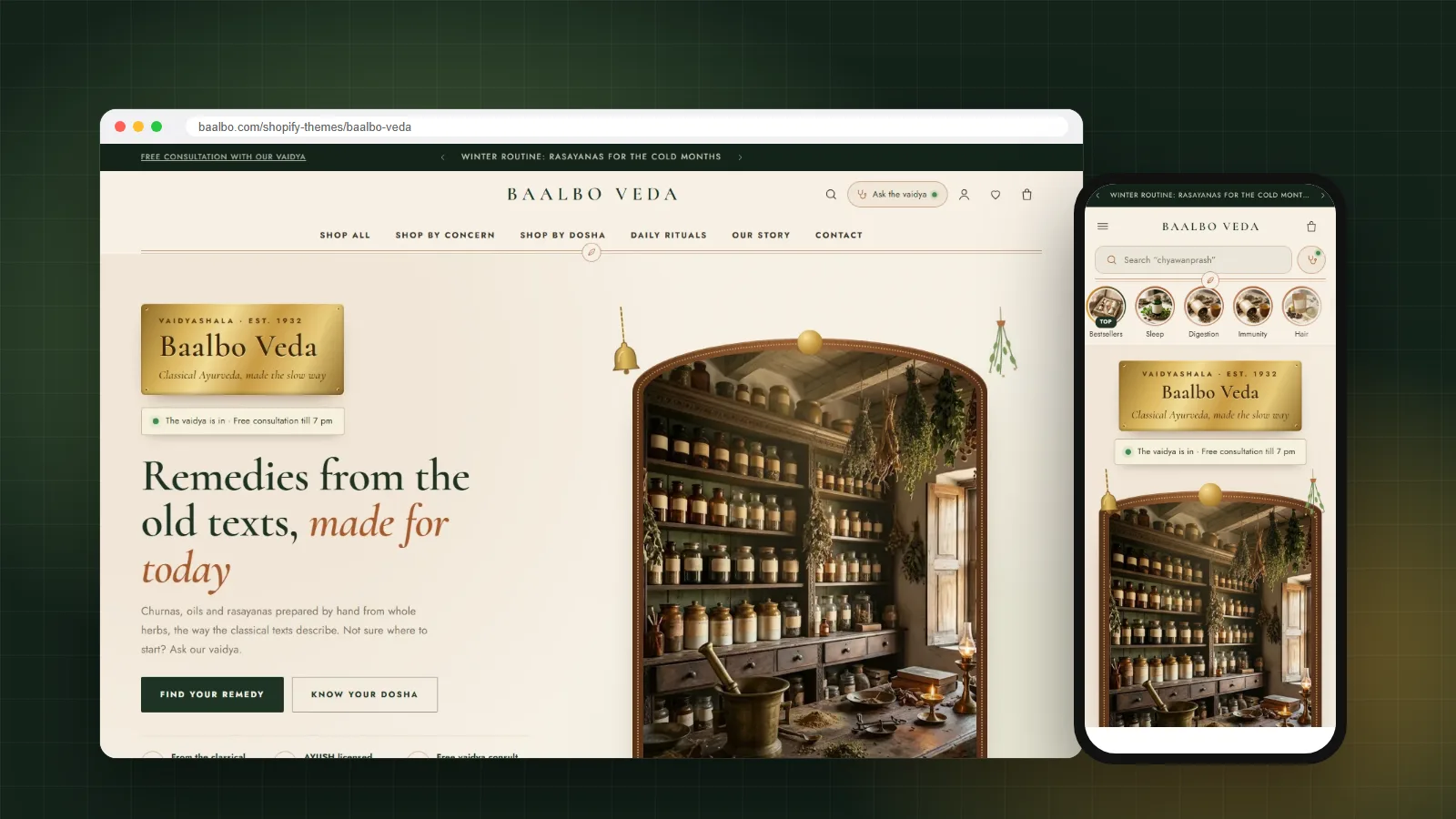
  • Vaidyashala hero with a live consultations sign
  • Herb cabinet: shop by concern
  • Dosha quiz (Vata, Pitta, Kapha) with advice and products
  • Apothecary shelf with subscription tag
  • Daily ritual (dinacharya) sun path
  • Herbarium with Sanskrit and botanical names
  • Vaidya consultation form and WhatsApp
  • Credentials seals and AYUSH licence line
  • Authenticity section with certificate check
  • Key herbs in a mortar from metafields
  • Prescription-style dosage card with disclaimer
  • Dosha fit on product pages
  • What's in it, what's not and results timeline
  • Shastra and science: texts and research
  • Shelf life, storage and product details
  • Pincode delivery estimate and gift note
  • Header with 6 layouts and "Ask the vaidya" button
  • Predictive search with rotating hints
  • Collection filters, sorting, quick add and wishlist
  • Cart drawer with coupons, offers, add-ons and order note
  • Bundle builder, product finder quiz and shoppable videos
  • Licence key for 1, 2 or unlimited stores
About the theme

About Baalbo Veda

Baalbo Veda turns your Shopify store into a traditional vaidyashala: a herb cabinet to shop by concern, a dosha quiz, an apothecary shelf, a daily ritual, a herbarium and vaidya consultations, with key herbs and dosage on every product. Online Store 2.0, 78 sections, 17 templates.

A premium Shopify theme that feels like a vaidyashala

Baalbo Veda is built for Ayurvedic medicine brands, herbal oil and churna makers, wellness stores and vaidya clinics that sell online. The store opens like a traditional dispensary: a brass nameplate, an arched doorway with your photo inside, a temple bell, hanging herbs and diyas on the step. Ivory, deep green and brass colours, classic serif headings and calm details make your brand look trusted and authentic, and every section is designed for phones first.

Sections made for Ayurveda stores

  • Vaidyashala hero with your nameplate and a live "consultations open" sign that follows the hours you set (India time).

  • Herb cabinet (Aushadhi Almirah): shoppers pull a drawer for sleep, digestion, immunity, hair, skin, joints, women's health or energy, and see the remedies inside.

  • Dosha quiz (Nadi Pariksha): a pulse-style panel and a short Vata, Pitta, Kapha quiz with advice and products for the result.

  • Apothecary shelf: products shown as jars on wooden shelves, with add to cart and a subscription tag for products sold on a plan.

  • Daily ritual (Dinacharya): a sun path from morning to night with the product for each hour, and the current hour highlighted.

  • Herbarium: pressed-herb cards with Sanskrit and botanical names, where each herb grows, its taste (rasa), what it does and the product it is in.

  • Vaidya consultation: your practitioner's photo and qualification, a WhatsApp button and a booking form with concerns and preferred times, sent to your store email.

  • Credentials seals and your AYUSH licence line, authenticity section with a certificate check, and how it's made steps.

  • Vaidya's journal: your blog as an open book, with topic tabs such as doshas, seasons and herbs.

  • Shop by purpose tiles, product finder quiz, bundle builder and comparison table.

A product page that answers every question

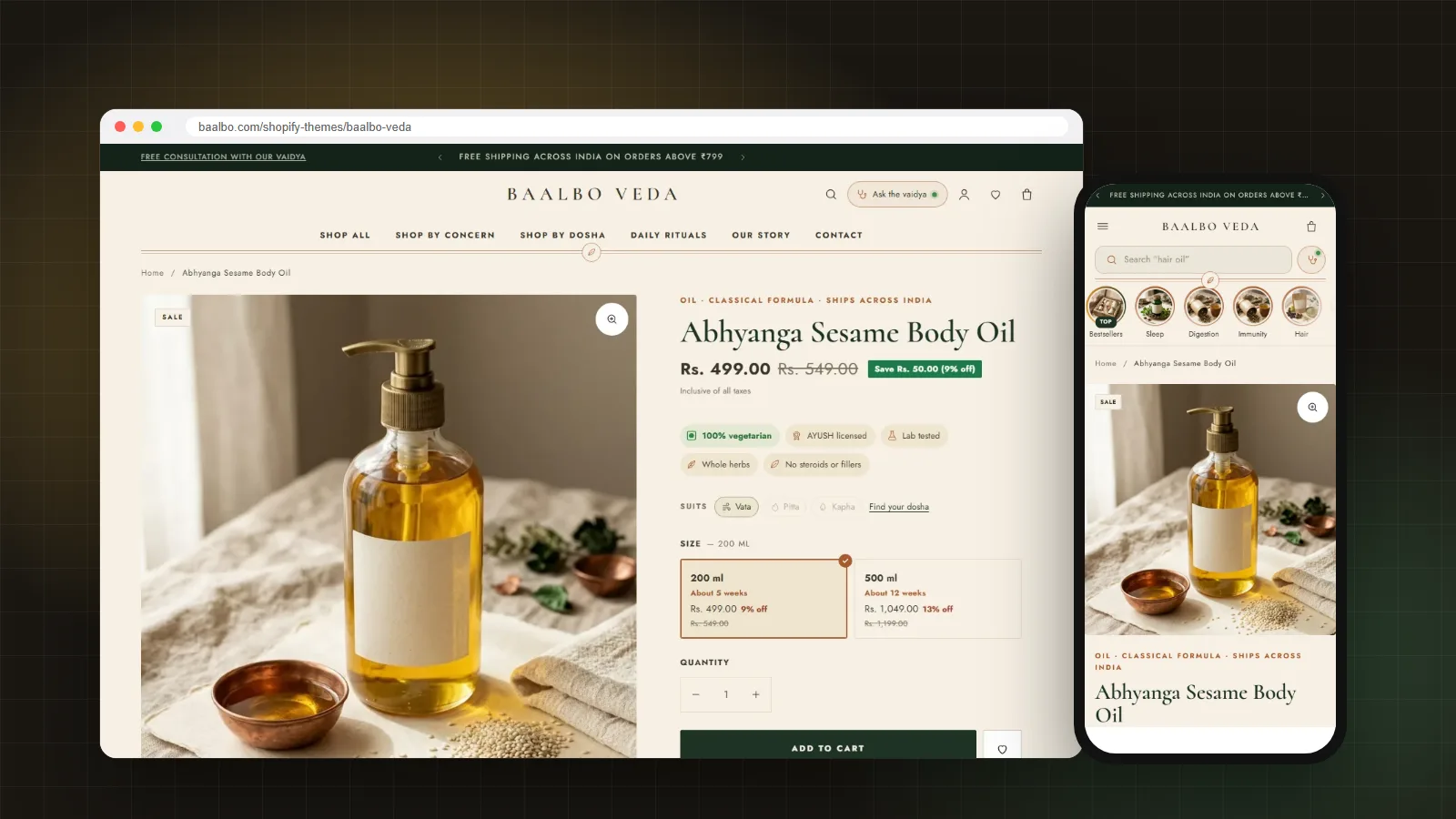
  • Key herbs in a mortar: each herb with its botanical name and what it does, from the product's metafields.

  • How to take it: a prescription-style card with dose, when, what to take it with and for how long, signed by your vaidya, with a medical disclaimer.

  • Dosha fit: shows which dosha the product suits, and whether it suits the shopper after the dosha quiz.

  • What's in it, what's not, a results timeline (marked as typical, not promised) and shastra and science: the classical texts and research behind the formula.

  • Shelf life and storage, product details table, trust badges such as 100% vegetarian or lab tested, and variant cards showing how long each pack lasts.

  • Delivery estimate with pincode, gift note, offer box, WhatsApp help, product story and complementary products.

Easy to browse, easy to buy

  • Header with 6 desktop layouts, mega menu, an "Ask the vaidya" button and a search bar with rotating hints on mobile.

  • Predictive search with popular and trending searches, collection filters, sorting, a grid switch, quick add and wishlist.

  • Cart drawer with offers, coupon codes, a spend-more offer, add-on products and an order note.

  • Shoppable videos, video reels, shop the look, testimonials, press quotes, Instagram feed, store locations and recently viewed products.

Yours to customise, no coding needed

Baalbo Veda is an Online Store 2.0 theme with 78 sections and 17 templates, including About, Contact, FAQ and Wishlist pages. Change colours, fonts, buttons, product cards, badges and animations from the Shopify theme editor and drag sections around on any page.

What you get

  • The theme .zip, ready to upload to Shopify, and every future version from your BaalBo dashboard.

  • A licence key for 1 store, 2 stores or unlimited stores.

  • A GST invoice for your purchase.

  • Optional setup by BaalBo: we install the theme, add your branding and connect it for you.

Launch in days, not months

From download to live store

No developer needed. Upload Baalbo Veda, add your brand and products, and launch a store that looks premium from day one.

  1. 01 Upload the themeDownload the .zip from your BaalBo dashboard and upload it in Shopify: Online Store → Themes → Add theme.
  2. 02 Paste your licence keyOpen Customize → Theme settings → Theme licence and paste your key. The store is activated straight away.
  3. 03 Add your brand and go liveChange colours, fonts and sections in the theme editor, add your products and publish.
  4. Buy Baalbo Veda

Version history

Buyers download every new version from their dashboard with the same licence.

  1. v1.0.0 23 Nov 2026

    First release: 78 sections, 17 templates, vaidyashala hero, herb cabinet, dosha quiz, apothecary shelf, dinacharya, herbarium, vaidya consultation, key herbs and dosage blocks, pincode delivery and licence activation for 1, 2 or unlimited stores.

Guides for ayurveda & herbal stores

All articles

More Shopify themes

All themes
FAQ

Baalbo Veda: questions before you buy.

Installation, licences, payment and setup.

S B +

Still have questions?

Chat with our team on WhatsApp or give us a call. No sales pitch, just honest answers.

01 Which stores is Baalbo Veda made for?

Ayurvedic medicine brands, herbal oil, churna and tablet makers, wellness and natural personal care brands, and vaidya clinics that sell remedies online. It suits any brand that wants a traditional, trusted Indian look.

02 How many stores can I use Baalbo Veda on?

It depends on your licence: the single-store licence works on 1 Shopify store, the two-store licence on 2, and the unlimited licence on as many stores as you like. Each store is added to your licence automatically the first time the theme runs with your key.

03 How do I install the theme and add my licence key?

Download the .zip from your BaalBo dashboard. In Shopify go to Online Store → Themes → Add theme → Upload zip file. Then open Customize → Theme settings → Theme licence and paste the licence key from your dashboard.

04 How does the dosha quiz work?

Shoppers answer a few questions and see whether Vata, Pitta or Kapha is strongest, with your advice and products for it. You write the questions, answers and advice in the theme editor. The result is saved in the shopper's browser, so product pages show whether a product suits them. It is a guide, not a medical diagnosis.

05 Where do herbs, dosage and shelf life come from?

From each product's metafields, so every product shows its own herbs, dose, timeline and shelf life. You can also set default text in the theme editor for products that don't have them yet.

06 Is the consultations sign automatic?

Yes, from what you set. It shows "open" during the consultation hours you enter, in India time. It doesn't connect to a booking system; consultation requests from the form arrive in your store email.

07 Can I show my AYUSH licence and lab reports?

Yes. Add your licence number in the credentials section, trust badges such as lab tested on products, and a certificate check that opens your lab's page or a verification request to you.

08 Does the theme help with honest claims?

Yes. The dosage card has a medical disclaimer and the results timeline says results are typical, not promised. The claims themselves are written by you, so check them against the rules that apply to your products.

09 Do I get updates?

Yes. New versions are added to your BaalBo dashboard and you download them with the same licence key.

10 What does "Setup by BaalBo" include?

Our team installs Baalbo Veda on your store, adds your logo, colours and fonts, sets up the menus, homepage, herb cabinet, dosha quiz, consultation details and product metafields for herbs, dosage and shelf life, so your store is ready to sell.

11 How do I install a theme I bought?

Download the .zip from your dashboard. In your Shopify admin go to Online Store → Themes → Add theme → Upload zip file, then preview and publish. If you added setup at checkout, our team does this for you.

12 What is the difference between the licences?

A Single store licence lets you use the theme on one Shopify store. Two stores covers two stores, and Unlimited covers as many stores as you run, which suits agencies and brands with several stores.

13 How do I pay?

Checkout is handled by Razorpay, so you can pay with UPI, debit or credit card, net banking or a wallet. Prices are in Indian rupees.