How to Start an Online Mithai Shop on Shopify in India
Your sweets already have loyal customers. A Shopify store lets you sell to them across India, all year. Here is how to take a mithai or namkeen shop online, from FSSAI rules to festival orders.
Every town in India has a sweet shop that people have trusted for generations. Many of those customers now live in other cities, and they would happily order your kaju katli or bhujia online, especially before Diwali or Raksha Bandhan. A Shopify store lets a mithai shop, halwai or namkeen brand sell to them across India.
This guide explains how to take a sweet shop online with Shopify, step by step.
1. Decide what can travel
Not every sweet survives a courier. Split your menu into three groups before you build the store:
- Ships across India: namkeen, dry fruits, dry sweets such as soan papdi, kaju katli, pinni and laddoos with a longer shelf life, chikki and gajak.
- Ships to nearby cities only: sweets with a shelf life of a few days.
- Local delivery only: milk-based sweets such as rasgulla, rasmalai and fresh khoya sweets, which need to be eaten within a day or two.
Your store should only offer each sweet where it can arrive fresh. That protects your name more than any advertisement.
2. Get your FSSAI licence and labels right
Every food business in India needs an FSSAI registration or licence, depending on its size and turnover. When you sell online, show your FSSAI licence number on your store. For packed products, the label needs the product name, ingredients, net weight, the veg or non-veg mark, manufacturing or packing date, best before date, allergens, your address and the MRP. FSSAI also requires sweet shops to show a "best before" date for sweets sold loose from trays.
Rules are detailed, so confirm what applies to you with an FSSAI consultant or your CA.
3. Set up Shopify
Create your Shopify account, set the store currency to Indian Rupee (INR) and the market to India. Connect a payment gateway such as Razorpay, PayU or Cashfree for UPI and cards, and decide whether to offer cash on delivery. If you are new to selling online, read our guide on how to start an online store in India.
4. Sell by weight, the way customers buy
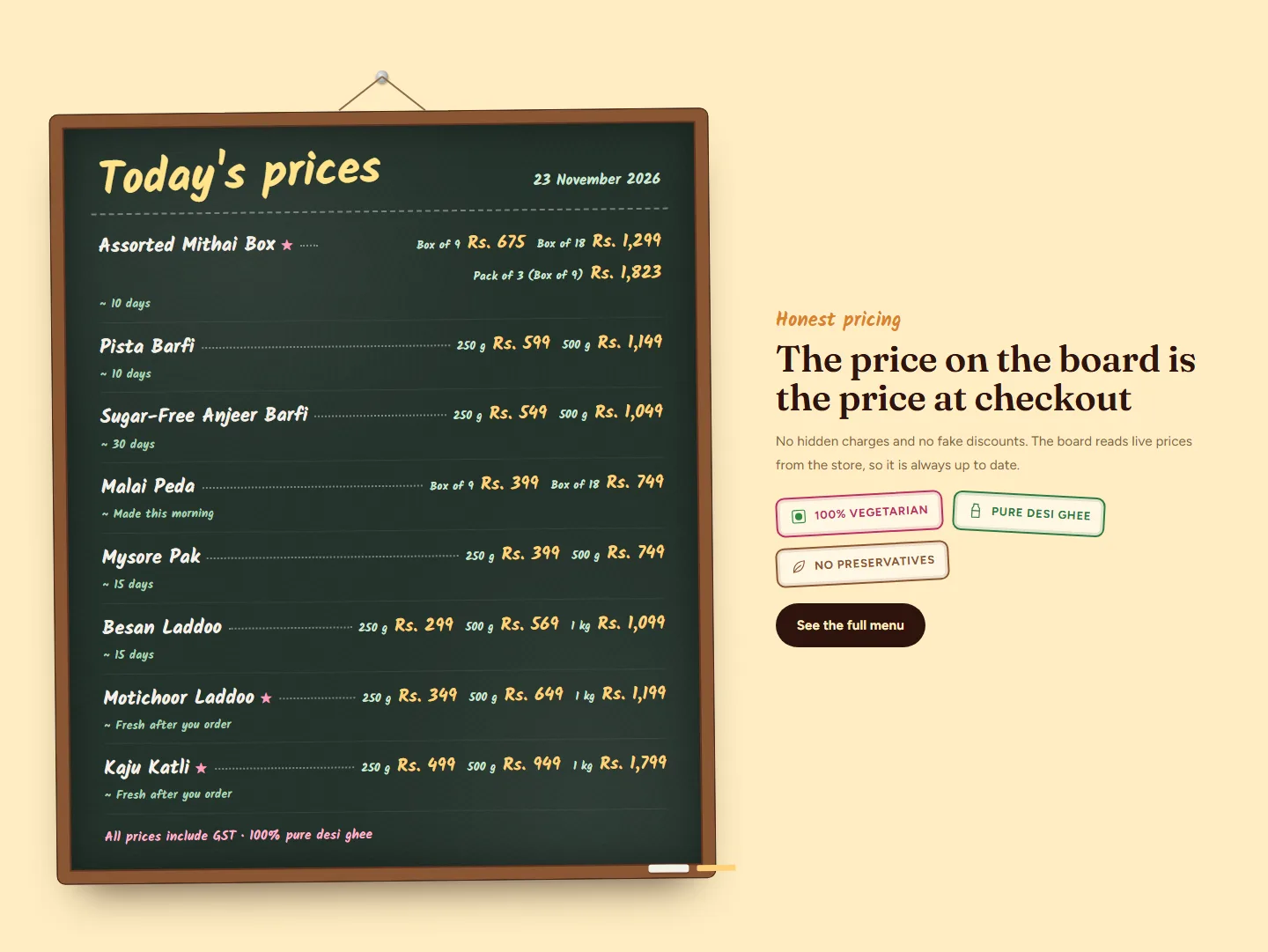
Customers think in 250 g, 500 g and 1 kg. In Shopify, create a variant for each weight with its own price. Show the price for every weight clearly, so nobody has to open a dropdown to find it. A rate board that lists every sweet with the price per pack size works just like the board next to your counter.
5. Let customers build their own box
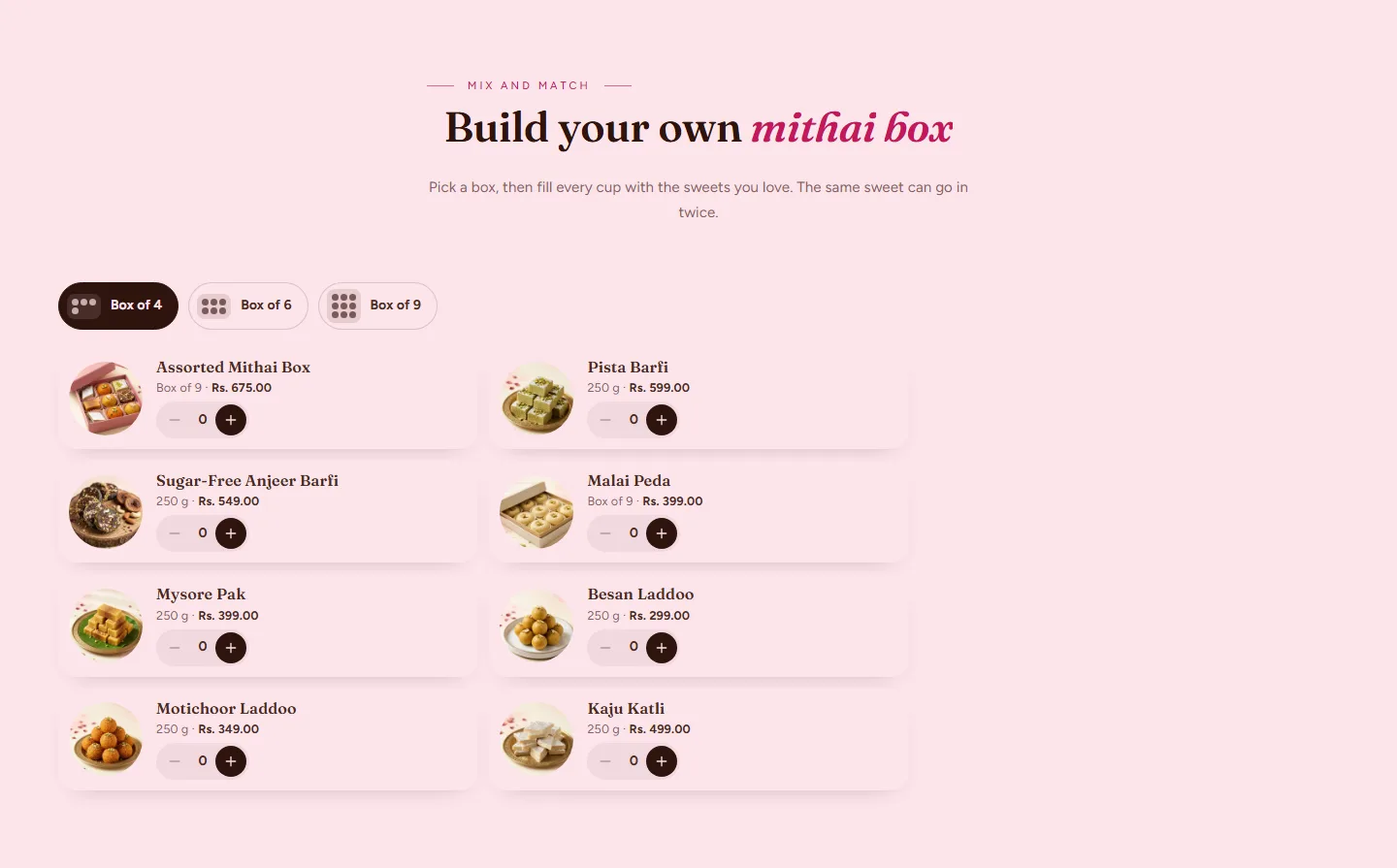
At the counter, customers point at the trays and fill a box. Online, a "build your own mithai box" section does the same: they pick a box size and fill it with any sweets. Make sure each box arrives in the order with its contents listed, so your packing team knows exactly what goes in it.
6. Show freshness on every product
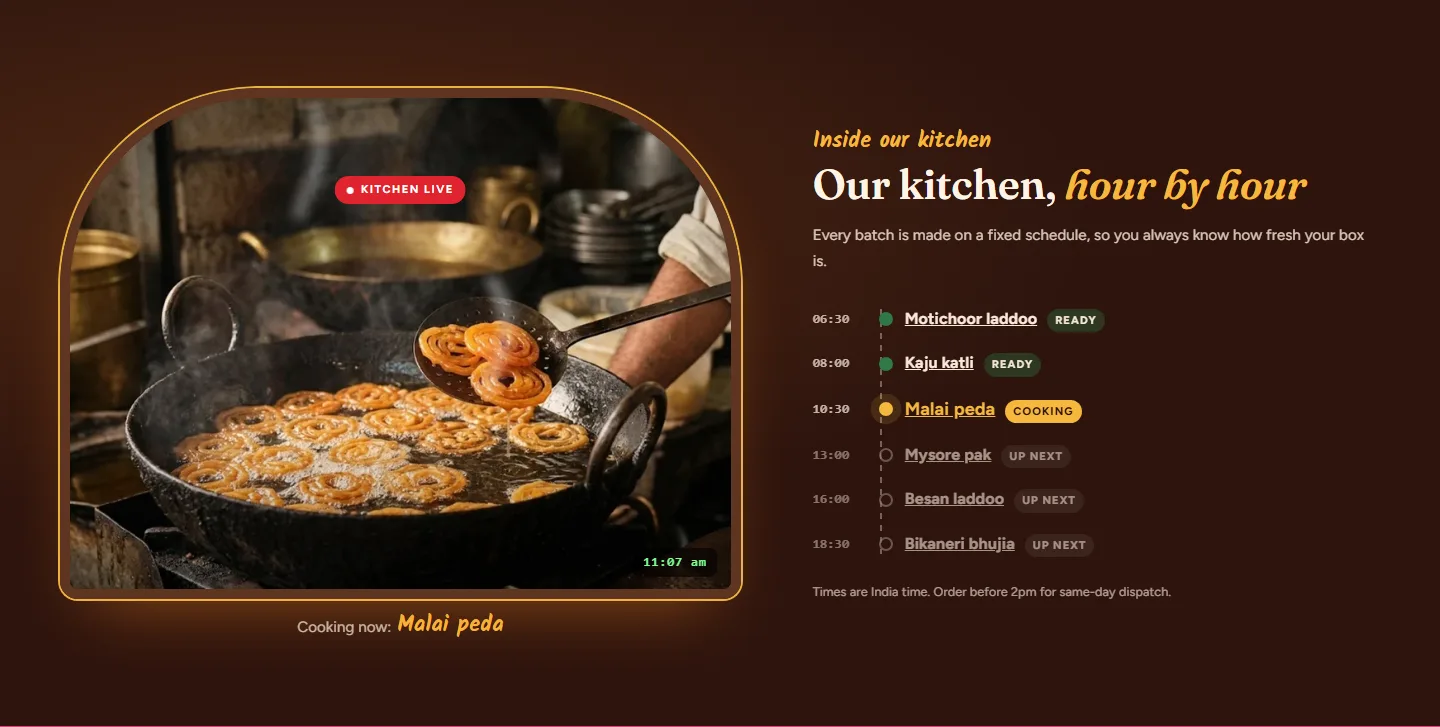
Freshness is the first question for food bought online. On every product page, show when it is made (for example "made fresh after you order"), the shelf life, how to store it, allergens such as nuts and milk, and the veg mark. If you cook in batches, show today's batch times. It builds trust and tells customers when to order.
7. Pack for the journey
- Use food-grade boxes with separators, and seal namkeen in airtight pouches.
- Add an outer carton with padding so boxes don't crush in transit.
- For gift orders, add a printed gift note and leave the price out.
- In summer, avoid shipping sweets that melt, or use insulated packaging.
8. Plan for festivals
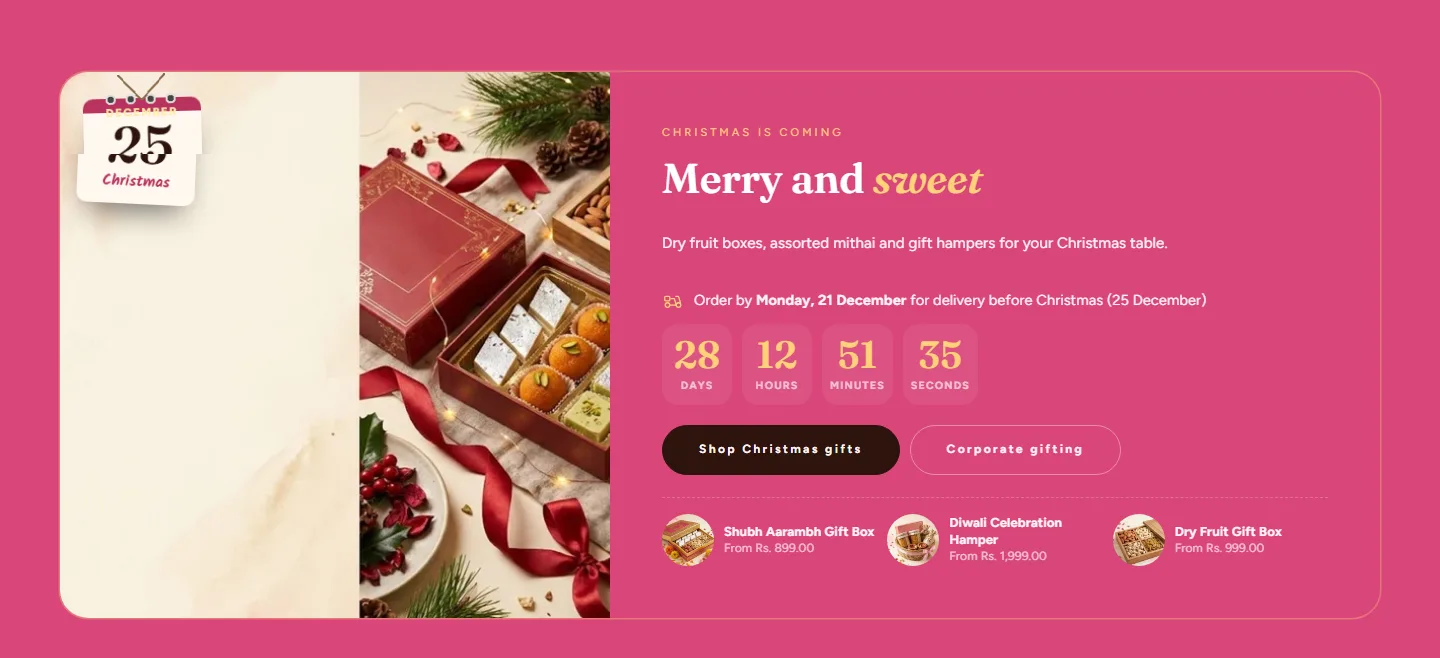
Diwali, Raksha Bandhan, Holi and the wedding season bring most of a sweet shop's online orders. Prepare festival hampers early, show a countdown to the last date to order for delivery before the festival, and take corporate gifting orders weeks in advance. A simple enquiry form for bulk orders brings in large orders from companies and wedding families.
9. Choose a theme made for sweet shops
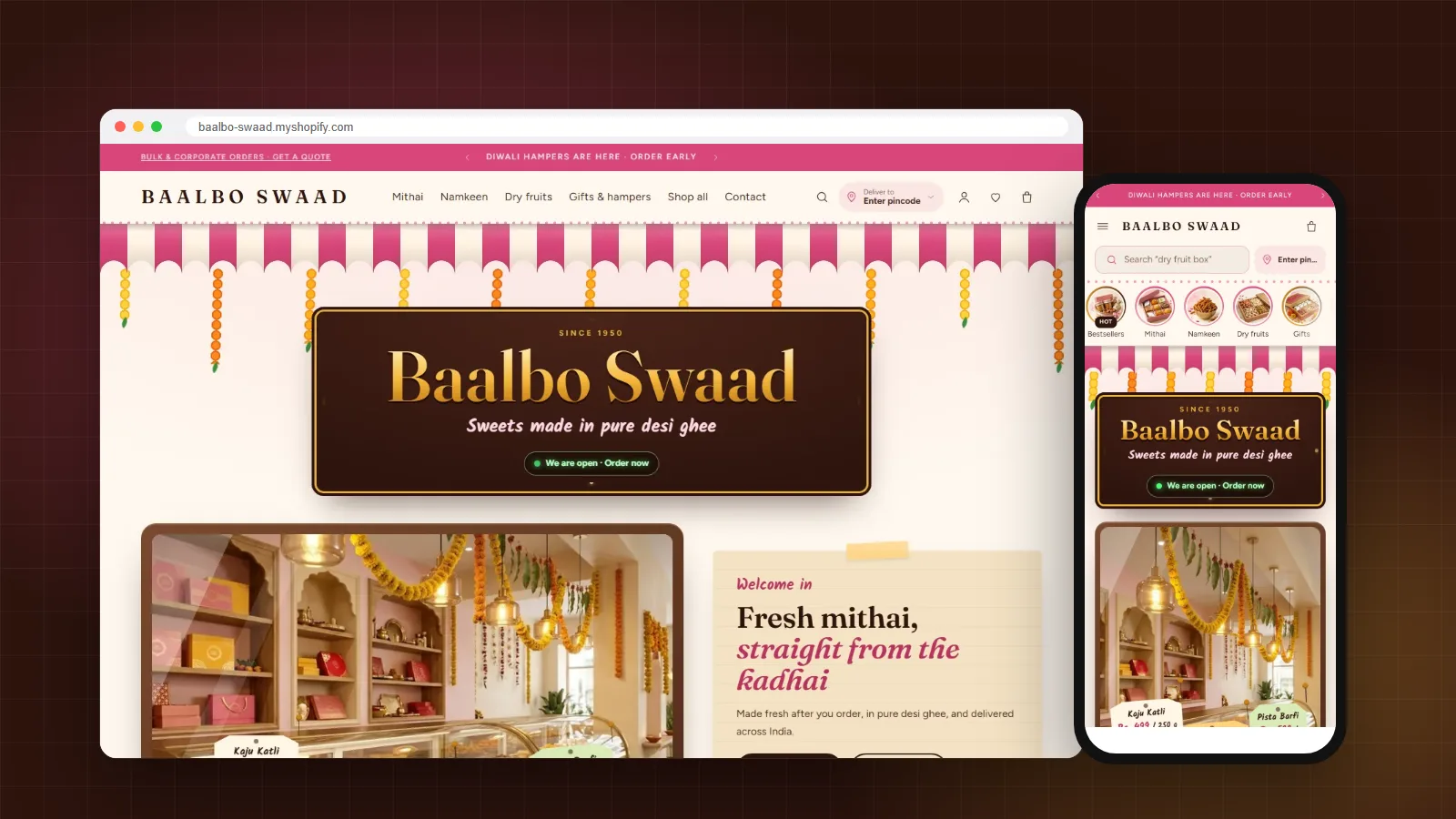
A general Shopify theme won't have a weight picker, a mithai box builder, a rate board, freshness details or festival countdowns. A theme made for sweets saves you the cost of several apps and custom code. We built Baalbo Swaad for mithai, namkeen and dry fruit brands, with all of the above, 74 sections and a live demo. See all our Shopify themes for sweets and snacks stores.
10. Bring in customers
- Your existing customers: put a QR code to your website on every box you sell in the shop.
- WhatsApp: share festival hampers and new sweets with past customers.
- Google: keep your Google Business Profile updated, and write pages about your famous sweets and your city's specialities.
- Instagram: short videos from the kitchen, like jalebis being fried or laddoos being shaped, do very well.
Frequently asked questions
Do I need an FSSAI licence to sell sweets online?
Yes. Every food business needs an FSSAI registration or licence, and online sellers must display the licence number. The type you need depends on your turnover and business, so check with a consultant.
Can I ship mithai across India?
Dry sweets, namkeen and dry fruits ship well across India in good packaging. Milk-based sweets with a short shelf life are best kept to local delivery.
How do I sell sweets by weight on Shopify?
Create a variant for each weight (250 g, 500 g, 1 kg) with its own price. A theme like Baalbo Swaad shows these as a weight picker and lists every weight on a rate board.
How much does a sweet shop theme cost?
Baalbo Swaad costs ₹5,999 for one store, with a GST invoice. Our team can also set it up for you for ₹3,999.
Taking your sweet shop online? Open the Baalbo Swaad live demo, or talk to our team about building your store.

Written by
Sukesh Kumar
Founder, CEO & Director, BaalBo Infotech
Sukesh founded BaalBo Infotech in Patna in 2023 and leads a team building websites, apps and online stores for businesses in India and abroad.
More about Sukesh